
Field Operations
Intelligent Data Collection From the Field to the Office
Field Data Collection
SOFTWARE & APPS
 PCS Field Data Collector
 CartoPac Mobile
HARDWARE
 Archer 4 Handheld Data Collector
DATA COLLECTION ACCESSORIES
 Shop Online
Remote Monitoring
SOFTWARE & APPS
 Bullhorn Web
HARDWARE
SPECIALTY REMOTE MONITORS
REMOTE MONITORING ACCESSORIES
End-to-End Compliance
Critical Asset Integrity | Better Business Decisions
SOFTWARE & APPS
Asset Intelligence
Traceable, Verifiable & Complete
CORE PLATFORM
Request a Calibration
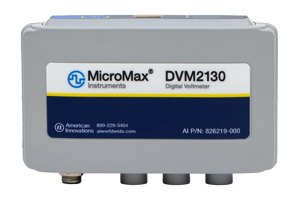
Calibration Types
Verification and Adjustment
The measurements of the device are verified against the specification, and if necessary, adjustments are made to the internal calibration constants. This is the type of calibration that happens when you send a MicroMax digital voltmeter to American Innovations. Note: Calibration service providers other than American Innovations are not equipped to perform this type of calibration for MicroMax digital voltmeters.
Verification Only
The measurements of the device are verified against the specification, but no adjustments are made to the internal calibration constants. This is the type of calibration that happens when you send a MicroMax SRM100 Soil Resistivity and pH Meter to American Innovations.
Prepaid Calibration Services
Our DVM calibration services give you more flexibility across your entire field equipment fleet.
Instead of paying per device every time service is needed, you purchase a pool of 12-month prepaid calibration credits. Use them for any eligible MicroMax device whenever it is due. Simply log in to check your remaining balance, track calibrations in progress, and download official certificates as soon as service is complete.
Every calibration includes:
- A calibration certificate that you can present to your auditor upon request
- A report, that shows detailed “as found” and “as left” test data (DVM calibrations only)
- A refinished probe sensor (SRM100A calibration only)
- Option available to expedite order
- Complementary comprehensive verification of device integrity and functions
- For MicroMax digital voltmeters, this verification includes visual inspection for damage, digital trigger input function, embedded GPS receiver function, and Bluetooth connectivity function, as applicable.
Complete the form below to get 12 months of calibration coverage!
Calibration Service
Check the status of calibrations in progress, download certificates, see your remaining balance, and buy more. Enter your work email and we'll send you a sign-in code.
Check your inbox
If you have an account with us, a single-use verification code is on its way to . Enter it below — it expires in 15 minutes.
Which account is this for?
We couldn't find your customer account
Billing & return shipping for your extra calibration(s)
Buy calibrations
Fixed price per calibration, return shipping included. Pay now, ship whenever you're ready within the 12-month validity period.
Your order
Addresses
Payment
Select a stored card or add a new one. New cards are entered on our payment provider's secure page — we never see or store your card number.
Pay by purchase order. Your order is submitted to American Innovations Customer Operations for approval. Your calibration entitlement — and its email — are issued only after your PO is approved. You'll need your purchase order as a PDF, 10 MB or smaller.
12211 Technology Blvd, Austin, TX 78727
FAQ—Frequently Asked Questions
Buy calibrations once. Ship devices when you are ready. Track every device and download every certificate in one place.
Getting Started
You buy a number of calibrations up front. Then, at any time in the next 12 months, you ship devices to us. Each device uses one calibration.
- Not tied to a device. Use your calibrations on any eligible device your company owns.
- No quote for each shipment. Work starts the day your device arrives at our lab.
- One place for everything. Buy calibrations, send devices, track progress and download certificates here.
| Device | Calibration Type | What you get back |
| MicroMax DVM 1110 | Verification and adjustment | Certificate, plus an “as found” and “as left” test report |
| MicroMax DVM 2130 | Verification and adjustment | Certificate, plus an “as found” and “as left” test report |
| MicroMax SRM100A | Verification only | Certificate and a refinished probe sensor |
Using an Allegro? Send only the MicroMax DVM. We do not calibrate the Allegro itself, so it does not use a calibration.
There is no password. Enter your work email and we send you a 6-digit sign-in code. Enter the code within 15 minutes.
- Code not there? Check your spam or junk folder. Make sure you used the work email your company has on file with us. Then request a new code.
- Sign-in paused? After 5 incorrect codes, sign-in for that email pauses for 30 minutes. This protects your account.
- Company not found? Sign-in is for established customers. Contact Customer Operations to set up an account first.
Only checking on a request? Select Track and enter your request number (it starts with CR-) and your work email. You do not need to sign in to see progress.
Buying Calibrations
| Service Level | Price Per Calibration | Typical Turnaround |
| Standard | $215 | About 10-15 business days |
| Expedited | $265 | About 3-5 business days |
- Turnaround starts when we receive your device, not when you ship it.
- Return shipping is included for standard delivery within the United States. We bill overnight or international return shipping at cost. Tell us before you ship.
- Sales tax is calculated from your return address. You see it before you pay.
- Choose your service level carefully. You cannot change it after you buy. If you might need a fast return, buy Expedited.
- Repairs are separate. If a device needs repair, we send you a quote and wait for your approval before we do any repair work.
Yes, if your company has credit terms with us. At checkout, select Purchase order (PO). Enter your PO details and upload the signed PO as a PDF. Customer Operations reviews it.
Your calibrations become available when we approve the PO, and we send you an email. Wait for that email before you ship devices.
Paying by card? You pay on our payment provider’s secure page. Your calibrations are ready as soon as your payment is confirmed. We never see or store your card number.
Sending Your Devices
- Sign in and open My Entitlements.
- Select Send devices for calibration, enter how many devices you are sending, then select Create request.
- Print the request slip and put it in the box. We use it to match your shipment to your balance.
- Pack exactly the number of devices on your request. Send the measurement unit only: no cables, chargers, cradles, or the handheld or tablet it connects to.
- Ship to: American Innovations, Calibration Dept, 12211 Technology Blvd, Austin, TX 78727.
You do not need to tell us before you ship.
We hold the extra devices when they arrive. We do not calibrate them until you tell us what to do. We email you, and the portal shows Action needed on your request.
For each extra device, choose one option:
- Pay for it at the Expedited rate.
- Use a calibration from another prepaid purchase you have.
- Send it back uncalibrated, at no charge.
To prevent delays, pack exactly the number of devices on your request.
Progress, Certificates, and Your Balance
Open the Track tab. Each request shows where it is:
Received → In Calibration → Ready to Ship → Shipped
The tracking number shows at the Shipped step. We also email you when we receive your devices, when the calibration is complete, and when your devices ship.
Sign in and open the Track tab. Download a certificate for each device. Every calibration keeps its own certificate, so a new calibration never replaces an earlier one.
Something wrong on a certificate? Find the certificate and select Request a correction. Tell us what is wrong. You do not send us anything, and there is no charge. Our lab checks the certificate against its records. Then we either issue a corrected certificate or tell you why the original is correct. You can request a correction for a limited time after we ship your device back.
Your calibrations are valid for 12 months from your order date. After that date, you cannot use them, and we do not refund or transfer them.
- Plan ahead. Ship your devices well before the expiry date, so there is time for delivery and for the calibration.
- Check your balance at any time. My Entitlements shows the expiry date for each purchase and warns you when calibrations expire within 60 days.
- Buy what you expect to use. You can buy more calibrations at any time.
Still have a question?
- Accounts, orders and purchase orders: Customer Operations, [email protected], (512) 249‑3400
- Devices, certificates and returns: Technical Support, support.aiworldwide.com, (512) 249‑3400