
 PCS Pipeline Compliance System
 CartoPac Asset Management
 Bullhorn Web
 MicroMax Meters & Interrupters
 Shop Online
 American Innovations Help Center
 Product Documents (Legacy Manuals)
 RMA (Repair & Evaluation Return)
 DVM Calibration
 Entitlement Change Request
 Product Training
 Customer Service
Prepare For Your 2027 Survey Season!
Take advantage of the off-survey season to get your crews up to speed. FDC 2.4 is available now and gives your technicians the tools to catch data gaps, track uploads, and review waveforms before they ever leave the site.
 Data quality you can trust
Total upload visibility
Faster field workflows
Still on PCS 2.5 or earlier? Request your PCS 2.6 installer now.

Why Upgrade?
Get It Right Before You Leave the Site
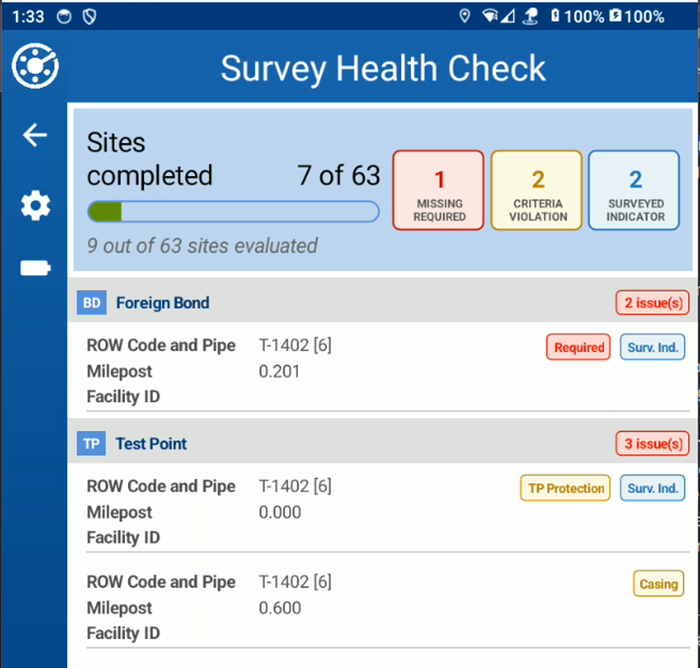
Return trips for missing data cost time and money. FDC 2.4 gives your crew two optional checks to make sure every survey is complete before they pack up and move on.
Empower your crew with:
- Survey Health Check: Run a data quality report on any Periodic Survey assignment before upload. It flags sites with missing required fields, criteria violations, and survey indicator gaps—then takes you straight to them with Review Site(s).
- Incomplete Site Warnings: Get a heads-up before navigating away from a site with missing required data or out-of-criteria readings that still need remarks.
Neither check gets in the way of upload or export—they’re there to help your team, not hold them up.
Know Exactly Where Every Upload Stands
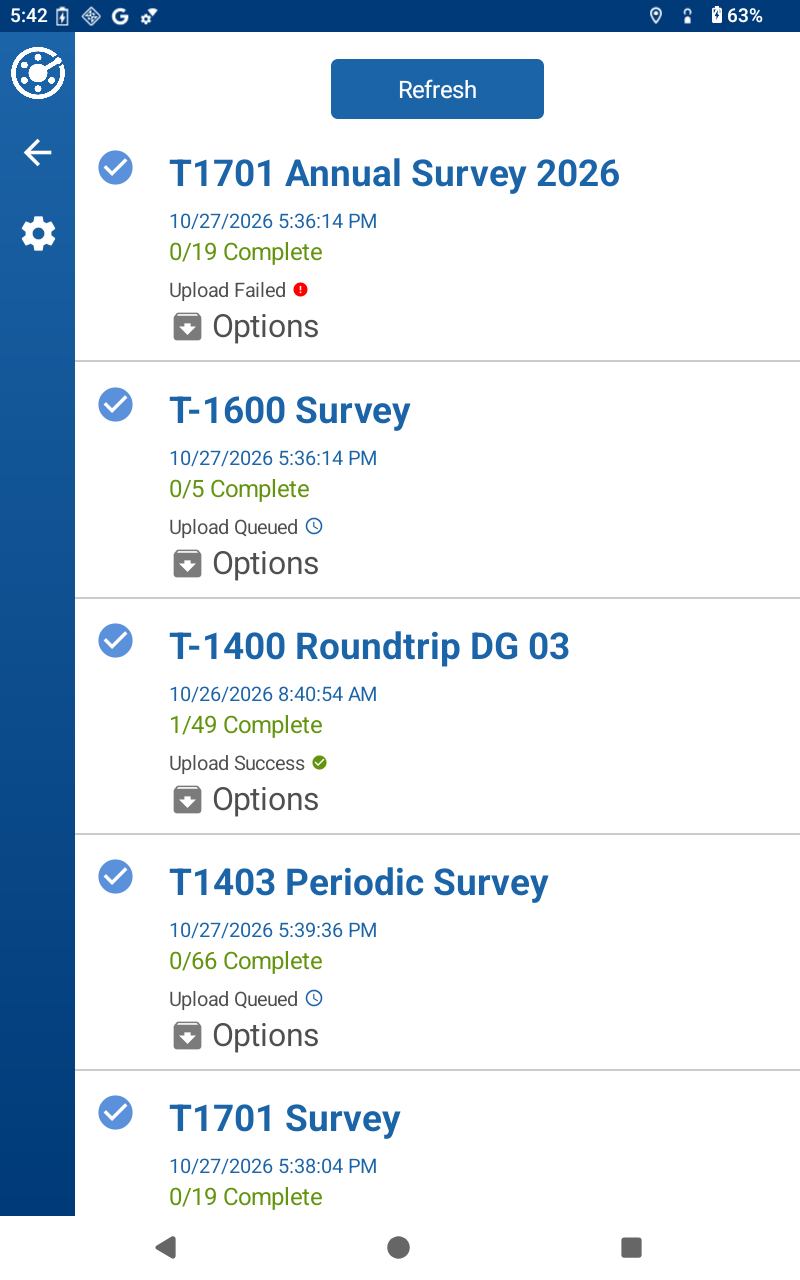
No more guessing whether a survey made it back to the office. Upload status now appears directly on each Periodic Survey assignment card—Pending, Queued, Started, Success, Failed, or Stalled—so technicians don’t have to dig through Settings to find it.
If an upload fails or stalls, your crew knows right away and can fix it before the end of the day.
Spend Less Time on Data Entry
Every tap adds up over a long survey day. FDC 2.4 streamlines the small stuff so your crew can focus on the readings that matter.
- Technician Name from Login: Automatically fill the Technician field with your FDC login—no more typing your name at every inspection.
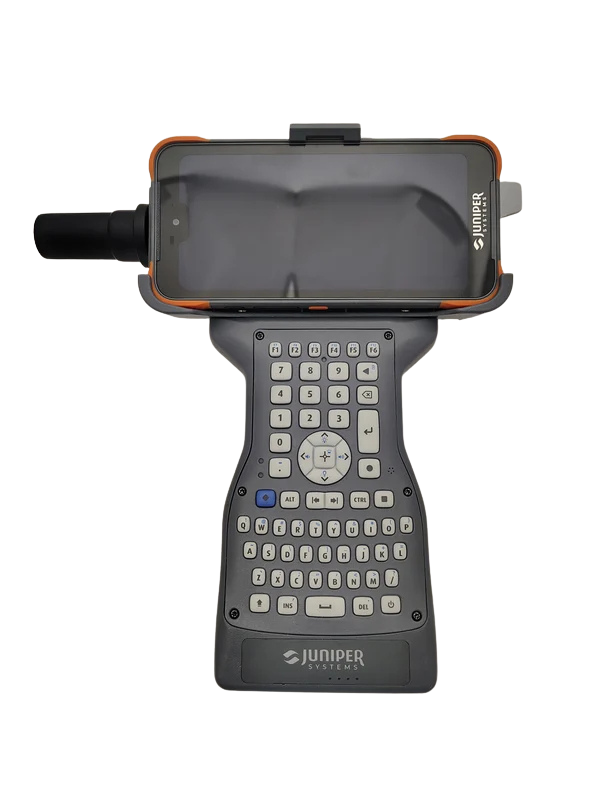
- Allegro Keyboard Support on Phones: Pair an Allegro Wireless Keyboard with an iOS or Android phone and use the same data entry and hotkeys your crew already knows.
- Reliable Progress Tracking: The survey progress indicator stays accurate on large surveys, even as you move between sites.
Ready for FDC 2.4? Get it today from the App Store, Google Play, or the PCS Support Page.
Still on PCS 2.5 or Earlier? Upgrade to PCS 2.6
Prove Every Data Point
Always be audit ready. Every reading supports embedded waveform screenshots and DVM metadata—so when an auditor asks, you don’t guess, you show them the source.
Expanded Asset Capability
Build the exact data structure you need for tanks, rectifiers, foreign bonds, and galvanic anodes with the PCS Cathodic Protection Data Manager module.
Stop Switching Between Workflows
Open Maintenance and Annual Surveys now live in a single view, so techs stay in one workflow and complete tasks faster.
Instant Field Validation
Compliance criteria are evaluated right at the test station. Crews get pass/fail feedback on the spot and leave knowing the job is done right.
Watch Product Manager David Gautier break down the new compliance safeguards.
Want to dive deeper into PCS 2.6? Watch the full overview.
FAQs—Upgrade with Confidence
No. FDC 2.4 works without a PCS upgrade. However, some features from the previous release, like Waveform Images and Enhanced Survey Metadata, still require both PCS 2.6 and FDC 2.3 or later.
No. Survey Health Check is completely optional. You can run it anytime from Options on a downloaded Periodic Survey assignment, and Upload and Export stay available whether you run it or not.
No—Waveform Analysis is an on-the-spot guide, not a final answer. It’s currently in beta while we continue refining it with field data, so it highlights cycles worth a closer look while your technicians make the call. Results aren’t saved with the survey, and it currently works with DC Volts on/off readings only.
Simply click the button below to request the installer. Our support team will send you a download link.
If you are a PCS Hosted customer, your update happens automatically.
The update typically takes under one hour.
Waveform Images, Enhanced Survey Metadata tracking, and Test Point Protection Criteria evaluation on FDC all require both PCS 2.6 and FDC 2.3 or later.
Note that the Waveform Images field is not compatible with FDC 2.2 or prior. It must be removed if sending to those versions, or the survey will not function as expected.
Upgrade to FDC 2.4 Directly from Your Device
You can update your field devices immediately through your standard platform channels.
How to Update:
- iOS & Android Users: Update directly through the App Store or Google Play Store.
- Windows Users: Visit the FDC Downloads Page to download the latest installer.
Request Your PCS 2.6 Installer!
Still on PCS 2.5 or earlier? Request your installation files using the form below to ensure your team is field-ready for survey season day 1!